
React JS
React is the world's most popular JavaScript library for building user interfaces, powering millions of apps with a component-based architecture.
Install Translate.website on React JS
Building your app with React? You don't need to install any npm package or modify your component tree to make your React app multilingual.
By adding the Translate.website script tag to your public/index.html, you get instant automatic translation across your entire React app — whether you're using Create React App, Vite, or any other React setup.
Once set up, Translate.website will automatically detect each visitor's browser language and display your content in their preferred language — no React state management changes required.
This guide walks you through the entire setup from start to finish.


Add Translate.website to Your React App
Adding Translate.website to a React app takes less than 2 minutes. No npm install, no component changes — just paste one script tag and you're live.
Before You Begin
- An active Translate.website account with your snippet ready.
- A React project using Create React App, Vite, or any other React setup.
- Access to your project's public/index.html file.
- No additional packages or npm installs required.
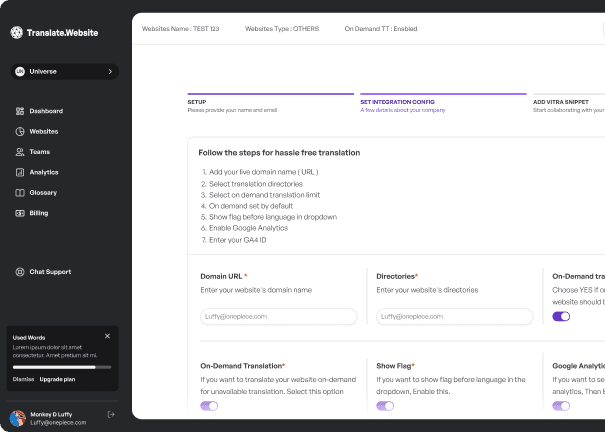
Step 1: Get Your Translate.website Snippet
Before you add the script to your React app, you need to retrieve your unique Translate.website snippet from the dashboard. This snippet is specific to your account and website domain.
- Log in to your Translate.website account at app.translate.website
- From the dashboard, navigate to Settings → Snippet.
- Copy the full script tag — it looks like: <script src='...' data-site-id='...'></script>
- Keep this snippet ready — you'll paste it into your React project in the next step.

Step 2: Add the Script to public/index.html
In a standard React app (Create React App or Vite), the public/index.html file is the root HTML template that wraps your entire application. Paste the Translate.website script inside the <head> tag to ensure it loads on every page.
- Open your React project in your code editor.
- Navigate to public/index.html (for Create React App or Vite) or index.html at the project root.
- Find the closing </head> tag.
- Paste your Translate.website snippet just before </head>.
- Save the file.

Step 3: Verify the Integration
After saving, run your React development server and confirm Translate.website is loading correctly.
- Start your dev server: npm start or npm run dev
- Open your app in a browser (usually http://localhost:3000).
- Open browser DevTools (F12) → Network tab.
- Look for the Translate.website script in the loaded resources.
- You should see the translation widget appear on your site.

🚀 What Happens After Saving?
Once the script is saved and your React app reloads, Translate.website will automatically detect the browser language of each visitor and display your content in their preferred language. The translation widget will appear on your site, allowing users to switch languages.
No React re-renders, no state management changes needed — the script runs independently of your React component tree.
🔁 Safe & Reversible
This integration is completely reversible. To remove Translate.website from your React app, simply open public/index.html, delete the script snippet you added, and save. No npm packages were installed, no components were modified, and no permanent changes were made to your React project.
💡 Why This Method Is Recommended
- Framework-agnostic: works with Create React App, Vite, Next.js static export, and any React setup.
- No npm package required — a single script tag is all you need.
- Loads asynchronously — zero impact on React hydration, Core Web Vitals, or Lighthouse scores.
- Fully reversible — remove the script tag and the integration is gone, no leftover state.
Ready to make your React app multilingual?
It takes less than 2 minutes. No React knowledge required — just paste the snippet and you're live.