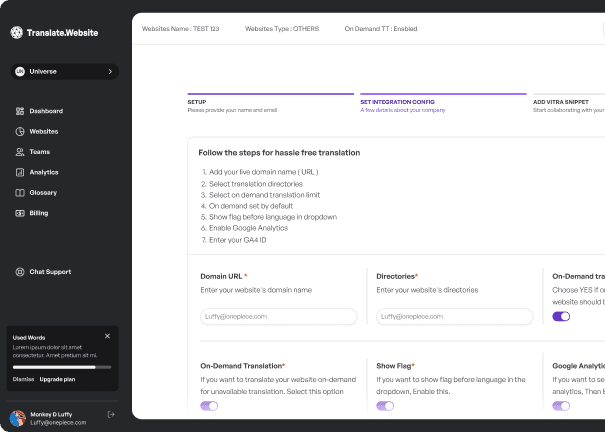
Connect all your existing tools to Translate.website
Translate.website works out of the box with all major CMS platforms, frameworks, and e-commerce tools. Pick your platform and get started in minutes.


WordPress
Add Translate.website to your WordPress site using the WPCode plugin — no theme edits, no custom development required.
Connect WordPress →
Shopify
Make your Shopify store multilingual by adding one script to theme.liquid. Works with all themes and custom storefronts.
Connect Shopify →
React JS
Integrate Translate.website into your React app with a single script tag or npm package. Instant translations for SPAs.
Connect React JS →
Next JS
Add Translate.website to your Next.js site in one step — paste the script into _document.tsx or use our npm package.
Connect Next JS →
Vue JS
Drop the Translate.website script into your Vue app's index.html or mount it as a plugin. Works with Vue 2 and Vue 3.
Connect Vue JS →
Angular JS
Add Translate.website to Angular by including the script in angular.json or your root index.html. Zero config required.
Connect Angular JS →
Nuxt JS
Use Nuxt's plugin system or add the script to nuxt.config.js for instant multilingual support across all routes.
Connect Nuxt JS →
Svelte
Include Translate.website in your Svelte app's app.html or as a module script. Compatible with SvelteKit.
Connect Svelte →
Drupal
Use the Asset Injector module to inject Translate.website across your entire Drupal site — no theme or core changes needed.
Connect Drupal →
Django
Add Translate.website to your Django templates using a simple script tag in your base template. Works with any Django version.
Connect Django →
Flask
Include the Translate.website script in your Flask Jinja2 base template to translate your entire Flask application.
Connect Flask →
Salesforce
Add Translate.website to Salesforce Experience Cloud using Head Markup — no Apex, no packages, no deployment required.
Connect Salesforce →
Ghost CMS
Inject Translate.website into Ghost using Code Injection in your Ghost admin. Works across all Ghost themes.
Connect Ghost CMS →
Hubspot CMS
Add Translate.website to HubSpot using the Custom HTML module or HubSpot's header scripts. No developer needed.
Connect Hubspot CMS →
Custom Integration
Using a custom stack? Translate.website works with any website — paste one script tag and go live in minutes.
Connect Custom Integration →Common questions
Don't see your platform?
Translate.website works with any website. Paste one script tag and go live in minutes — no framework required.